About Rollcap
Rollcap: Photo Dump & POV is an iPhone and iPad app by Glixen Technologies. It turns the photos already in your camera roll into photo dumps, POVs, Recaps, Collages and Captions. It has been on the App Store since 20 November 2026.
Rollcap at a glance
| Name | Rollcap (one word) |
|---|---|
| Full App Store name | Rollcap: Photo Dump & POV |
| What it is | A photo dump and POV app for iPhone and iPad. It turns the photos already in your camera roll into photo dumps, POVs, Recaps, Collages and Captions. |
| Made by | Glixen Technologies, an AI and software studio in Lahore, Pakistan |
| Released | 20 November 2026, on the App Store |
| App Store | Rollcap: Photo Dump & POV, id6835463835, developer “Glixen Technologies” |
| Google Play | Not yet. An Android version is coming; Pro will work on both with one account. |
| Category | Photo & Video (secondary: Lifestyle) |
| Price | Free, with 10 Sparks and 5 Creations a month. Rollcap Pro: US$3.99 a month, US$29.99 a year or US$59.99 once (Lifetime). Local prices vary. |
| AI | Claude, by Anthropic, names Events, picks Gold Picks and writes Hooks and Captions, only after the person agrees. Up to 12 small previews per Event are sent; they aren’t stored or used for training. |
| Language | English. Store pages are also written in French, Spanish, Portuguese, German, Italian and Arabic. |
| Ads and tracking | No ads. No analytics or advertising SDKs. |
| Website | rollcap.glixenstudios.com |
| Contact | contact@glixentech.com |
Which Rollcap is this?
This page is about Rollcap: Photo Dump & POV, the photo dump and POV app by Glixen Technologies, App Store id6835463835. Other products share the name Rollcap, including a scrolling-screenshot app for iPhone, a ZeroTech camera and the rollcap.io website. They are not made by Glixen Technologies and are not connected with this app. If you’re writing about this app, the clearest name is “Rollcap: Photo Dump & POV” or “the Rollcap photo dump app”.
What does Rollcap do?
Rollcap reads the camera roll on your phone and groups photos into Events, such as a wedding, a trip or a night out. It names each Event, splits it into Moments like Couple, Squad and Dance floor, and marks the best shots as Gold Picks. You pick a Format (POV, Photo Dump, Recap, Collage or Captions), and Rollcap writes the Hook, the line drawn on the photo, and a Caption in one of four Tones: Funny, Aesthetic, Emotional or Chaotic. Every month of photos becomes a Roll that is revealed as a Recap on the 1st.
What Rollcap isn’t
- It isn’t a camera. It works with photos you already took.
- It isn’t a screenshot or scrolling-capture tool.
- It isn’t a social network. Nothing is posted unless you tap share, and there are no profiles or feeds.
- It isn’t a shared wedding album. It reads the photos on your own phone, not your guests’.
- It doesn’t upload your camera roll. Only small previews leave the phone, and only if you turn AI on.
Descriptions you can quote
One line (for bios and directory taglines)
Rollcap: Photo Dump & POV turns your camera roll into photo dumps, POVs, recaps and AI captions. By Glixen Technologies.
About 50 words
Rollcap: Photo Dump & POV is an iPhone and iPad app by Glixen Technologies. It finds Events such as weddings, trips and nights out in your camera roll, picks the best shots, called Gold Picks, and writes POV lines and captions in four Tones. It’s free to start, with an optional Pro plan.
About 100 words
Rollcap: Photo Dump & POV is an iPhone and iPad app made by Glixen Technologies in Lahore, Pakistan, and released on 20 November 2026. It reads the camera roll on the phone, groups photos into Events, splits each Event into Moments like Couple, Squad and Dance floor, and marks the best shots as Gold Picks. From there it makes POVs, photo dumps, Recaps and Collages, and writes Hooks and Captions with Claude by Anthropic, only after the person agrees. Every month of photos becomes a Roll that is revealed as a Recap on the 1st. Rollcap is free with 10 Sparks and 5 Creations a month; Pro costs US$3.99 a month.
Logo and screenshots
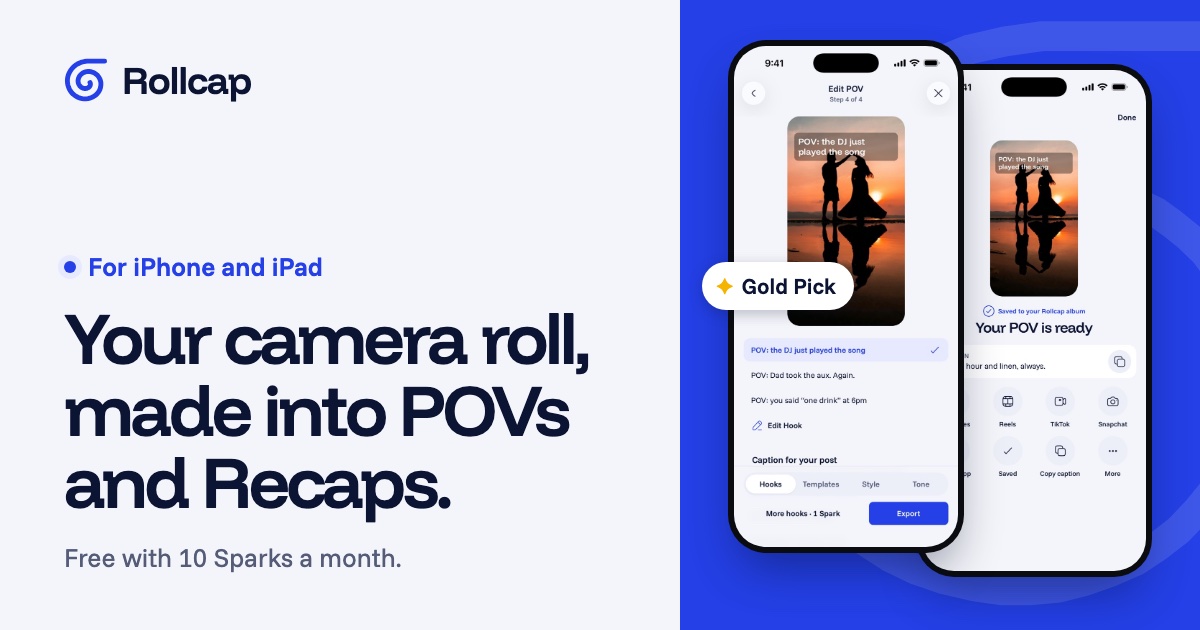
App icon: icon-512.png (512 × 512). Share image: share.jpg (1200 × 630). Current screenshots are on the App Store listing. Please don’t change the icon’s colours or crop the spiral.

Contact
Press, partnerships and corrections: contact@glixentech.com. If something on this page or about Rollcap elsewhere is wrong, tell us and we’ll fix it here first.